Skip to content
Notes by Axbom
Per Axbom Bluesky reply

↩ Replying to @drjenbird.bsky.social

Good reminder I should always explain how to remove after I explain how to add.

You need to unpin the feed first in the edit screen for feeds, and then scroll down to find it under Saved feeds. This where you’ll find the trash can next to the feed you just unpinned.
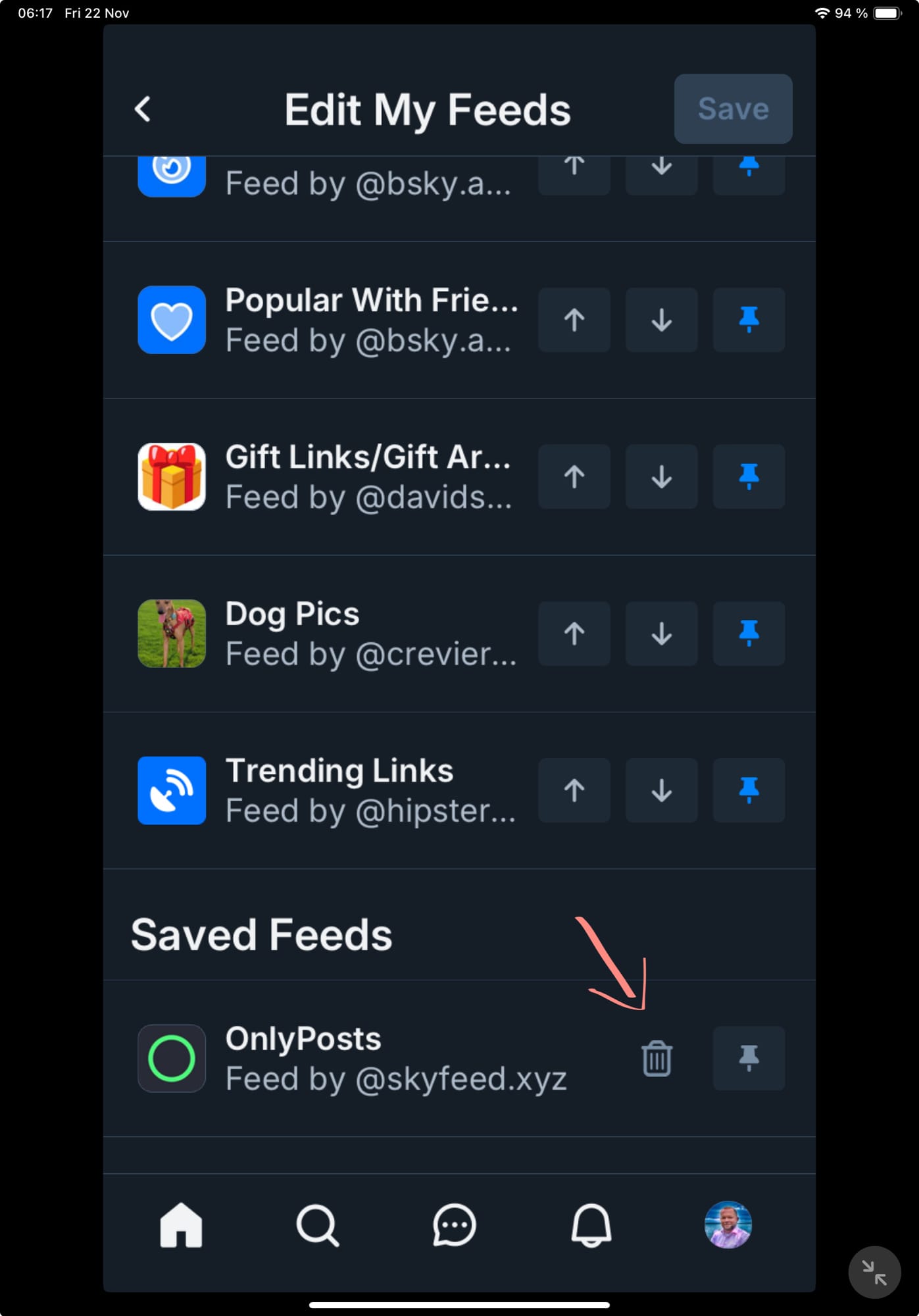
Screenshot of ”Edit my feeds” screen. Feeds at the top have buttons for move up, move down and unpin.

Lower down is the heading ”Saved feeds.” The buttons next to these feeds are ’trash can’ and pin.

Under Saved feeds is where feeds end up when they are unpinned, and there you can tap the trash can to delete it.

I have drawn an arrow pointing to the trash can.

🔗 Originally posted on Bluesky

22 Nov 2024, 06:22
Share
LinkedIn Bluesky Email
  • Notes by Axbom
  • RSS

© 2026 Notes by Axbom